



How to use Octave so kids can manage their own summer days
17 July, 2026
Summer is the perfect time to slow down the school rhythm, but not necessarily to manage everything for the kids. When the days follow one another and all look alike, parents often find themselves in 24/7 entertainer mode! However, with a bit of structure and a tool like Octave, your kids can learn to manage their summer days themselves, while gaining independence and confidence. Here’s how to do it in practical terms.
1. Create a light, visible structure in Octave
Kids function better when they know what to expect. The idea isn’t to recreate the school rhythm, but to give a few stable reference points.
In Octave, start by:
- Creating a dedicated “Summer” event or space for organizing the days.
- Adding a basic routine: morning, afternoon, evening, with a few recurring blocks (breakfast, quiet time, outdoor activity, chores at home, etc.).
- Using reminders or events for the key moments: wake-up time, planned outing, etc.
The goal is for kids to be able to open Octave and quickly see the outline of their day, without always having to ask a parent what’s coming up.
2. Build a “summer activity menu” together
Rather than planning each day down to the minute, create one or more activity lists in Octave for the kids to pick from themselves.
For example:
- “Outdoor activities” list: biking, chalk in the driveway, bug hunting, water games, a visit to the park.
- “Creative activities” list: crafts, drawing, modeling clay, making a comic book, building an indoor fort.
- “Quiet activities” list: reading, puzzles, board games, writing a summer journal.
- “Social activities” list: inviting a friend over, writing a letter or message to a loved one, organizing a toy or book swap.
Invite the kids to suggest ideas themselves and enter them directly in Octave. The more the list comes from them, the more they’ll want to refer to it.
Then show them how, each morning or the day before, they can:
- Open Octave.
- Choose 1 or 2 activities from the lists.
- Drag them into their day (as events or tasks).
Little by little, they learn to create a day plan for themselves, completely independently.
3. Give kids their own lists of responsibilities
Summer isn’t only free time: it’s also a great opportunity to build a sense of responsibility.
In Octave, create for each child a list of age-appropriate tasks:
- Make their bed.
- Tidy their play area.
- Set the table or unload the dishwasher.
- Water the plants or help with garden upkeep.
- Prepare their snack or help make a simple meal.
Link these tasks to specific times of the day (morning, before screen time, before dinner) and show the kids how to check off for themselves what they’ve accomplished.
You can also:
- Add small icons or emojis in the titles so the youngest can find their way around easily too.
- Create a “Ready for the day” mini-routine (get dressed, brush teeth, sunscreen, water bottle ready, etc.) that the child follows independently thanks to Octave.
The idea isn’t to control everything, but to make visible what needs to be done, so the adult is no longer alone in carrying the mental load.
4. Set boundaries on screen use, with Octave as an ally!
Screens are often a major subject of negotiation, and even more so in summer! Octave can help you make the rules clearer and leave no room for negotiation!
A few ideas:
- Create a recurring “Screen time” event in the day (e.g., afternoon or end of day).
- Set clear conditions with the child: tasks completed, outdoor activity done, reading or quiet play beforehand.
- Add a “Before screens, I have to…” list that the child checks off themself.
By seeing in black and white in Octave what’s planned, the child better understands the framework, and repeated requests decrease.
5. Make room for boredom, but with a point of reference
Boredom is part of a healthy summer, but it can be unsettling for a child who has always been kept busy. Octave can become a safety net.
When a child tells you they’re bored, you can then answer by telling them to go look in Octave and choose what to do from their already-established activity list.
This teaches them to:
- Come up with a solution themselves.
- Navigate between different options.
- Manage their free time without an adult acting as a constant entertainer.
6. Involve the kids in planning the week
Once the foundation is in place, you can go further by holding a little weekly family meeting with Octave:
- Add the planned outings (library, park, visit to friends).
- Look together at the busier or freer times.
- Let each child suggest an activity to officially add.
This active participation gives kids the feeling that their voice counts and strengthens their commitment to the plan.
By using Octave as a family dashboard, you turn summer into a season where kids learn to structure themselves, take responsibility and get organized, while keeping the lightness and freedom that make this time so precious.
And for you, parents, it’s a concrete way to cut down on constant requests and finally share the management of summer days! 🙌☀️
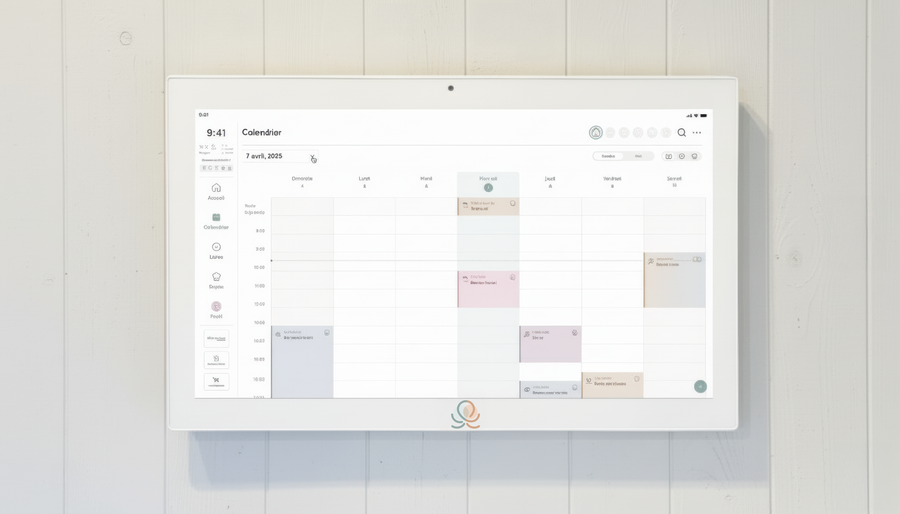
Put these tips into practice
Get the whole family organized with Octave
Meals, chores, the calendar and routines for the whole family in one place: on everyone's phone and on the Station on your wall.
The app is free on iOS and Android.