



Christmas gift list: the foolproof system for never forgetting a thing
20 November, 2025
Christmas is approaching, and with it, that silent pressure that keeps building: “Did I think of everyone? What am I going to get my mother-in-law? My nephew already has that toy, right? Did I actually buy something for my youngest's teacher?”
Every year it's the same story: you swear that this time, you'll be organized. And yet, by mid-December, you panic when you realize you've forgotten three people, bought the same gift twice for your daughter, and gone over your $300 budget.
Because we'd like this year to be the last one that goes like this, here's a complete, step-by-step system for creating and managing a Christmas gift list that will spare you forgotten names, duplicates, last-minute stress and blown budgets.
STEP 1: Create the master list
Before buying anything, and before you even think about gift ideas, you need to know who you'll be giving gifts to this year.
Who goes on the list?
Sit down with a coffee and list ALL the people you usually buy a gift for. To help you out, here are suggestions of people to put on your list, depending on your situation and your wishes.
Immediate family:
- Your spouse or partner
- Each of your children
- Your parents
- Your in-laws
- Your brothers and sisters
- Your nephews and nieces
Extended family and friends:
- Grandparents
- Aunts/uncles (if you exchange gifts)
- Close friends
- Neighbors (if that's a tradition for you)
Other important people:
- Your children's teachers/daycare educators
- Sports coaches
- Regular babysitters
- Coworkers (if your office does a gift exchange)
Tip: Start from last year's list if you have one; it's the best starting point for not forgetting anyone. And above all, don't feel the least bit obligated to give a gift to anyone; if the idea simply doesn't suit you or you don't have the budget, don't hesitate to talk to the people you usually give gifts to and tell them that, this year, you'd rather exchange good wishes in another way.
Choose your tool
Here are three possible options:
Option 1: Paper/a dedicated notebook
- Pros: Tangible, no battery, satisfying to tick off
- Cons: Can get lost, can't be shared with a partner
Option 2: Spreadsheet (Excel, Google Sheets)
- Pros: Shareable, calculates the budget automatically, easy to edit
- Cons: Less convenient in stores
Option 3: Octave app
- Pros: Always in your pocket, shareable, notifications possible
- Cons: Requires a charged phone
STEP 2: Structure your list effectively
Because a simple list of names isn't enough, here are the essential columns to include in your system.
1. Person's name
2. Relationship/Category: “Child,” “Parent,” “Teacher,” etc. This column will help you prioritize and group your purchases.
3. Gift idea(s): Write down 2 to 3 ideas per person. That way, if the first option isn't available, you'll have a plan B.
4. Budget allotted: The maximum amount you want to spend on this person. Set this budget BEFORE you shop, not after!
5. Status: “To buy,” “Bought,” “Wrapped,” “Delivered.” This part of your list lets you see at a glance where you stand.
6. Actual price: Write down here what you really paid: an essential point for tracking your overall budget.
7. Where bought: Note the store or website the gift came from, useful information for potential returns/exchanges.
8. Notes: Leave room to jot down practical information such as “Prefers blue,” “Size 7,” “Already has the previous version,” etc.
Example of a complete row
| Name | Category | Gift idea | Budget | Status | Actual price | Where bought | Notes |
|---|---|---|---|---|---|---|---|
| Sophie (daughter) | Child | Lego Friends set | $60 | Bought | $54 | Amazon | Delivery Dec. 15 |
| Jean (father-in-law) | Parent | BBQ recipe book | $30 | To buy | - | - | Likes to cook |
| Ms. Julie | Teacher | Renaud-Bray gift card | $25 | Bought | $25 | Online | Sent by email |
STEP 3: Gather ideas
Now that your structure is in place, it's time to fill in the “Gift ideas” column.
For the kids: The art of the letter to Santa
Sit down with each child and help them write their letter to Santa (you can use this handy template!). Limit it to 3 to 5 realistic wishes. Take a photo or keep a copy – it's your official shopping guide.
Tip: Also ask the kids what they think their brothers and sisters would like to receive. Kids often know their siblings' tastes better than you do!
For the adults: Ask subtle questions
A few weeks before Christmas, subtly work these into your conversations:
- “If you could buy yourself something this year, what would it be?”
- “Have you seen anything lately that you'd like to have?”
- “Is there a book/movie/tool you've heard about lately?”
Write their answers down in your list right away.
Keep a “running” list all year long
Tip: Create a permanent note in your phone (or create a list in Octave!) titled “Christmas gift ideas.” Whenever someone mentions something they'd like to have (in March, in July, whenever!), write it down right away with the person's name. By November, you'll have a goldmine of great ideas!
STEP 4: Update in real time
This is where many systems fail: people create the list... then never look at it again!
The golden rule: One purchase = One immediate update
As soon as you buy a gift – in a store, online, wherever – update your list BEFORE you put your phone away or leave the store.
Change the status to “Bought,” note the actual price, where you bought it, and any relevant information (tracking number, expected delivery date, etc.).
Why? This approach will keep you from buying the same gift twice because you forgot you'd already bought it. (Yes, it happens, and more often than you'd think!)
Share with your partner in real time
If you use a shared tool, your partner instantly sees what you buy. Set a simple rule: no one can buy a gift that isn't on the shared list. It forces communication and eliminates duplicates!
STEP 5: Track your overall budget
Creating a “Budget” column isn't enough. You need to do the math and actively monitor everything!
Adjust before it's too late
If in mid-December you realize you've already spent 90% of your budget but there are still five people left on your list, you still have time to make the necessary adjustments:
- Opt for more modest gifts
- Make homemade gifts
- Suggest to the extended family that you cut back on exchanges
STEP 6: Manage statuses and progress
Your list isn't just a record of purchases: it's a project management tool.
The essential statuses
Beyond “To buy” and “Bought,” add these statuses:
-
Ordered online (awaiting delivery): you've paid for it, but it hasn't arrived yet. Note the expected delivery date.
-
Received (to wrap): the gift is physically in your home, but not wrapped yet.
-
Wrapped: Ready to give!
-
Delivered/Given: Mission accomplished for that person!
Schedule a wrapping session
At the end of November or the beginning of December, block off an evening or an afternoon to wrap ALL the gifts at once. Put on a Christmas movie, pour yourself a glass of wine or a good coffee, and tick “Wrapped” for each person: satisfaction guaranteed!
STEP 7: The final check
Two weeks before Christmas, do a complete review of your list.
Checklist
☐ Does everyone have at least one gift marked “Bought” or “Wrapped”? If anyone is still in the “To buy” column, it's URGENT to fix that!
☐ Are there any gifts ordered online that haven't arrived yet? Check the tracking numbers. If delivery is expected after December 23, contact the seller or prepare a plan B.
☐ Have you stuck to your budget? If you've gone over, own it consciously rather than ignoring it.
STEP 8: Archive for next year
On December 26, before you shove your list away into oblivion, do one last valuable thing:
Note what worked (and what didn't)
Add a “Post-Christmas notes” section:
- Which gifts were loved?
- Which ones fell flat?
- What would you have done differently?
Example: “Sophie LOVED the Lego, but the book for Jean wasn't his style. Next year, go with gift cards for him.” These notes will be precious next November!
Keep your list
Don't delete it! Rename it “Christmas 2025” and archive it. Next year, you'll duplicate it as a starting point, which will save you precious minutes!
In summary: Your foolproof 8-step system
✅ Step 1: Create the master list of all the people
✅ Step 2: Structure it with the right columns (name, idea, budget, status, price, notes)
✅ Step 3: Gather ideas (letters to Santa, subtle conversations, family coordination)
✅ Step 4: Update in real time after each purchase
✅ Step 5: Track the budget actively
✅ Step 6: Manage statuses (bought, wrapped, delivered)
✅ Step 7: Final check in mid-December
✅ Step 8: Archive with notes for next year
With this system, no more last-minute oversights, embarrassing duplicates and runaway budget overruns!
Put these tips into practice
Get the whole family organized with Octave
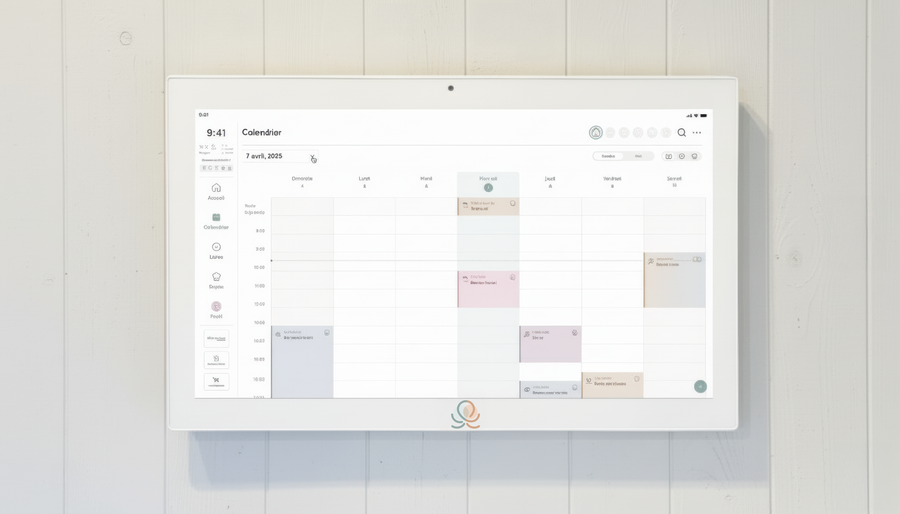
Meals, chores, the calendar and routines for the whole family in one place: on everyone's phone and on the Station on your wall.
The app is free on iOS and Android.