



Plan spring break in Octave in 5 easy steps
11 February, 2026
What if you planned spring break differently this year? With the Octave app, turn potential chaos into a well-organized, enjoyable week for the whole family!
Here is your guide in 5 easy steps to prepare a memorable spring break with the valuable help of your virtual family assistant.
Step 1: Create your visual calendar for the week (5 minutes)
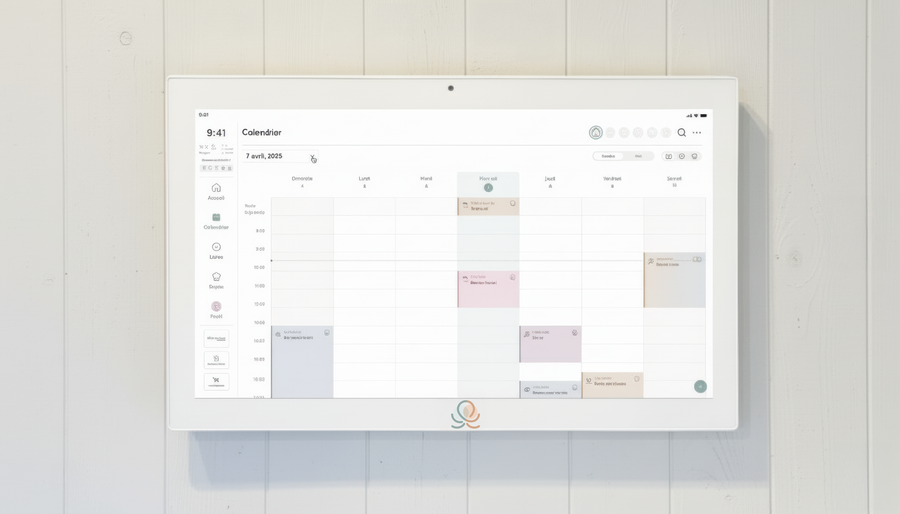
To avoid stress and possible oversights, make sure to add the different activities planned for the week to the Octave calendar right now. To do this, simply create an event for each day where you'll note what's planned.
Example of how to set it up:
Monday, March 2: Pajama day at home
Tuesday, March 3: Science center (10 a.m. to 3 p.m.) with Mom
Wednesday, March 4: Day camp at the community center (9 a.m. to 4 p.m.)
Thursday, March 5: Skating rink outing + lunch at a restaurant with Dad
Friday, March 6: Activities at home + cookie baking
Saturday, March 7: Family day – hike up the mountain
Sunday, March 8: Rest + getting ready to go back to school
This way, every family member will have easy access to the schedule and can plan their own activities accordingly, in addition to knowing exactly what's coming up.
Step 2: Create your prep list (10 minutes)
Your spring break will probably be more relaxing if you prepare for it in advance. So take the time to create a “Spring break 2026 prep” list in Octave, where you can note all the tasks to be done to make sure everything goes smoothly.
Here's an example of what your list could look like:
☐ Register the kids for Wednesday's camp (deadline: February 15)
☐ Buy Science Center tickets online
☐ Book the restaurant for Thursday lunch
☐ Buy craft supplies for the days at home (paint, cardboard, glue)
☐ Plan the week's menu (see step 3!)
☐ Do a full grocery shop (the Sunday before spring break)
☐ Bring the board games up from the basement
☐ Pack activity bags for the car (coloring books, snacks)
☐ Take stock of the kids' winter clothes (mittens, toques)
Don't forget to assign each task to the person in charge of getting it done (whether that's you, your partner or your kids), so that everyone pitches in and knows exactly what they need to do.
Step 3: Plan your meals for the week (15 minutes)
A more flexible routine often brings the temptation to order in or eat out more often, and with it a budget that's hard to stick to. So take the time right now to plan your menu for the week in Octave, to make sure you have everything you need on hand for the planned meals and avoid having to worry about that part of daily life during these few days off! Ideally, so you don't have to spend long hours in the kitchen, plan simple, quick meals that will leave you enough time for the planned activities.
Here, by the way, is an example of a menu that's perfect for the occasion:
Monday: Merguez Sausage Tacos (kids love assembling their own!)
Tuesday: Chicken Alfredo Pizza
Wednesday: Veggie Mac and Cheese
Thursday: Cheesy Gratin Omelette
Friday: Restaurant (surely we can treat ourselves to one during the week!)
Saturday: Philly Cheese-Style Sloppy Joes
Sunday: Grilled Fajitas
Octave's magic: Once your meals are planned, automatically generate your grocery list. In one click, you'll know exactly what to buy for the whole week!
Step 4: Build your bank of backup activities (10 minutes)
Even with the best planning, whether because of the weather or a sick child, there will no doubt be surprises!
So take the time to create a “Backup activities for spring break” list in Octave, where you can jot down a dozen or so possible activity ideas in case you need them.
Here are a few activity suggestions:
- Movie night at home
- Building a fort in the living room
- Baking day
- Themed crafts (for spring or Easter, for example)
- Family board game tournament
- Trip to the library
- Public skating rink
- Hike in the woods
- At-home spa afternoon
- Trip to the movie theater
- Trip to the indoor pool
- Bowling
You'll even find several ready-made lists of activity suggestions in Octave, perfect for all sorts of occasions!
Step 5: Manage your budget (5 minutes)
To avoid financial stress and manage your planned spring break budget effectively, create a list in Octave where you'll note all the expenses made during the week. That way, you'll know in real time how much you've spent and can adjust along the way.
What this changes in practice
- All the important information is in one place, and accessible from anywhere
- The calendar of planned activities is clear, and the whole family can easily check it!
- The tasks you can't forget are on lists, not in your head
- Keeping your budget in check is easier
- And, most of all, the mental load is shared!
This year, enjoy a spring break that is organized, balanced and, above all, enjoyable for EVERYONE!
Ready to plan? Download Octave and get started right now! 🙌
Put these tips into practice
Get the whole family organized with Octave
Meals, chores, the calendar and routines for the whole family in one place: on everyone's phone and on the Station on your wall.
The app is free on iOS and Android.